Classroom jobs that run themselves — how to set up a jobs display
A classroom jobs display works when it does three things: names every job the room really has, shows whose turn it is in a way a five-year-old can read from the carpet, and rotates without you rewriting anything. This guide covers all three — which jobs belong on the board, how to show whose job it is, and how to keep the display running past October.
There is a particular kind of tired that arrives at 8:52 in the morning. Someone has to hand out the folders, someone has to hold the door, the line leader is away, and three children are standing at your elbow asking whose turn it is. A jobs display is supposed to answer all of that before anybody asks.
Most of the time it doesn't, because it went up in a hurry, in a different color to everything else on the wall, and half the jobs stopped matching what the class actually does by the second month.
If you would rather start from a set that already matches the rest of your room, every theme in the Matchy Room theme collections uses one locked palette across name tags, letters and jobs cards.
Key takeaways
- Put only jobs that happen most days on the board — eight true jobs beat twenty-four decorative ones.
- Show whose job it is with a piece children can move themselves: a name card, a number card or a clip.
- Rotate on a fixed day, with the rotation chart on the board, so the change runs without you.
- Cards are read from six to eight feet away: one job per card, a picture per job, laminated.
What makes a classroom jobs display work in a real room?
Three things, and none of them is decoration.
It is readable from where children stand — from the carpet, four to eight feet away, by someone still learning to read. Large cards, one job per card, a picture that carries the meaning when the words don't. Our cards print at 7.24 by 2.83 inches for exactly this reason.
It survives being touched. Children move something daily — a name card, a clip, a peg — so anything touched needs laminating (how our files print and cut) and a fixing method a six-year-old can operate alone. If only the teacher can move the cards, the board is a poster, not a system.
It matches the room. A jobs board in a different palette than the bulletin board and name tags reads as clutter. Choose the palette once and everything printed afterwards belongs — the idea behind a Matchy Room theme; the free pastel name tags are the cheapest way to test a palette.
How to choose your classroom jobs
Before the list, one idea that changes how children treat the board: a short classroom job application — three lines a child fills in to ask for a job — turns a chore into a role they chose. Our set includes one as a printable page.
Work from the day, not from a list you found. Walk your own schedule from the first bell to the last, and every time you think someone has to…, that is a job. Then apply four filters:
- Does it happen most days? A job that comes up twice a semester is a favor you ask, not a job on the board.
- Can a child do it alone, safely? If it needs your supervision every time, it is not a job yet — it is a job with training wheels, and it belongs to a pair.
- Would anyone notice if it stopped? If nothing breaks when the job is skipped, it is a made-up job. Children can tell, and made-up jobs are why displays quietly die in November.
- Does it need saying every day? If yes, put it on the board so you stop saying it.
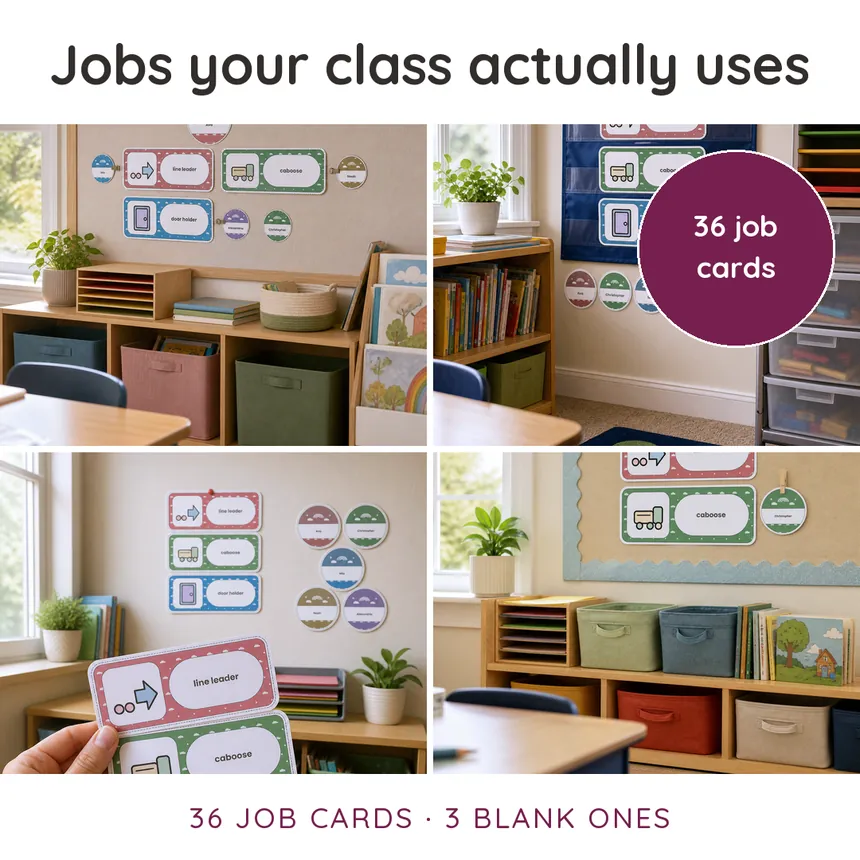
A set of 36 jobs covers most elementary rooms with room to spare — that is what our Soft Sky classroom jobs set includes, plus 3 blank cards for the job only your room has. The blanks matter more than they sound: every classroom has one duty that no printable anticipates.
Which jobs belong on the board — a working list
Start of the day — the fifteen minutes worth automating first: attendance or lunch-count helper, folder monitor, door holder, line leader, and the child who takes the attendance folder to the office.
Library and book boxes — the corner that falls apart quietest: librarian (shelves returns by basket, not by title), book box checker, cushion straightener, reading-nook closer.
Clean-up and end of day — give this block more jobs than you think you need, because the class is tired and instructions have to be visible rather than spoken: floor sweeper, table wiper, chair stacker, window closer, lights, whiteboard cleaner, cubby checker.
Jobs for supplies and technology
Pencil sharpener, glue-stick checker (lids on — this one job pays for itself in glue), scissors counter, device charger, headphone untangler, office messenger. If your room has a device trolley, make charging a named job or it will not happen. Two more that earn their card in most rooms: the paper passer (one child, one stack, one direction) and the supply-caddy checker who confirms every table has glue, scissors and pencils before the day's first lesson.
Jobs that are really social roles
The best-loved cards on most boards are not chores: greeter, peacekeeper, encourager, new-child buddy, question collector. They are worth putting on the display because they say out loud that these things are work the class values — and because the child who is not interested in sweeping is often the one who is extremely interested in being the greeter. Give social roles the same card size and the same rotation as the chores, or the class learns which jobs you really value.
Jobs for a class that is too small — and one that is too big
Too few children for the jobs. Retire cards rather than doubling them up. A board with eight cards and eight names looks intentional; a board with 24 cards and eight names looks abandoned.
Too many children for the jobs. Pair every job before you invent new ones. Two names on one card teaches handover, and it halves the number of children learning a new task each week. When you do need more roles, add social roles rather than more sweeping.
How to show whose job it is: name cards, number cards, clips
The second thing a classroom jobs display has to do is show, at a glance, whose job it is today. Three ways work; pick by age and by how often your class changes.
| Method | Best for | Watch out for |
|---|---|---|
| Name cards | The youngest classes, where reading a name is the point | 36 cards to move on rotation day — pair it with a rotation chart |
| Number cards | Older classes, or a class that changes mid-year | Children must know their number cold, or the board goes quiet |
| Clips or pegs | Any grade; the cheapest to reset | Wooden pegs slip off laminated card — add a dot of hot glue to the jaw |
There are three systems that hold up in a real room, and the right one depends on how much you want to redo in September:
- Name cards — a card per child, moved beside the job. Warmest for young classes, and the child sees their own name every day. Our set includes 36 name cards, and the same set again as numbers.
- Number cards — each child has a class number. Nothing to reprint when a child joins or leaves mid-year, and the board survives a class list change in about a minute.
- Clips or clothespins — a clothespin with a name, clipped to the job card. The most physical option, so the easiest for young children to operate, and the loudest when it falls off the board.
Whichever you choose, the pieces that move must be the pieces you laminate.
How to rotate jobs without rewriting the board every week
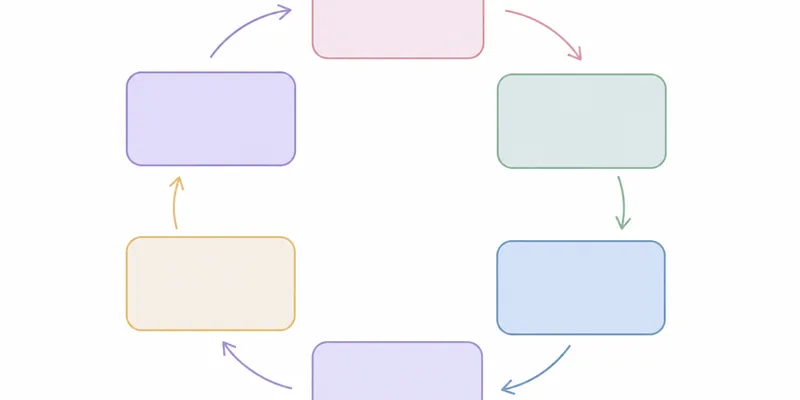
A classroom job chart only keeps working if the rotation lives on the chart itself, not in your head. Rotation is where most displays break, because the rotation lives in the teacher's head. Put it on the wall instead. Three approaches that work:
- Straight rotation. Names sit in a fixed order and everyone shifts one place each Monday. Two minutes, no decisions, no arguments about fairness — the board makes the argument for you.
- Job applications. Children apply for the job they want, in writing, and you assign for the marking period. Slower, but it turns the display into a writing task and gives older classes a reason to care. Our set includes a job application page for exactly this.
- Random draw. Number cards in a jar. Fast and fair, and useful when a class has decided that certain jobs have status.
A rotation chart on the board — even a simple one — means a substitute teacher can run your system without asking you.
Where a jobs display should live in the room
A classroom jobs board is read at the moments jobs happen, so it belongs where those moments happen. 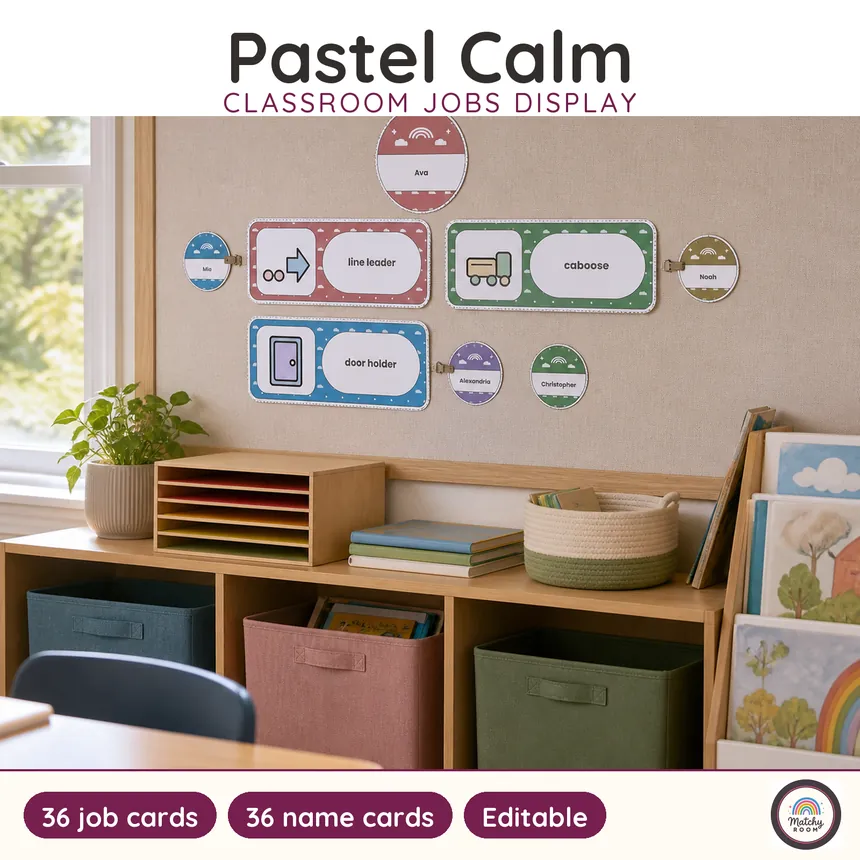
Put it where the jobs happen and where children already stand: near the door if most of your jobs are door-and-line jobs, near the carpet if you assign at the start of the day, at child height either way. A jobs board at adult height is a display for adults. One more test before you commit to a spot: stand where the children line up and check that the board is still readable from there, because that is the moment most jobs actually get remembered — or forgotten.
The first two weeks: teaching the jobs
A display costs time in September and pays it back from October — but only if the first two weeks are spent teaching the jobs, one a day, the way you would teach any procedure: name it, model it slowly, let one child try while the class watches, then let the job holder do it for real. A job taught this way runs itself; a job announced from the front takes four minutes every day for a month.
The detail that decides whether training sticks is the handover — where the clothespin goes when the week ends, who reminds whom, what happens when the job holder is absent. Handover is the part that fails first. And once, let the class watch you do a job badly on purpose: children spot the problem instantly, and a rule they caught themselves is a rule they keep.
When the display stops working — four common failures
Every jobs board that dies dies in one of four ways, and each has a cheap fix — none of them involves printing a new set.
Nobody looks at it — it hangs too far from where the jobs happen, or too high. Move it to child height near the door or the carpet.
The names stopped moving — the rotation lived in your head. Put a rotation chart on the board itself so the class can run the change without you.
Half the cards are for jobs the class no longer does — retire cards ruthlessly at each break in the year. Eight true jobs beat twenty-four decorative ones.
The pieces fall off — match the fastener to the surface: pins through a laminated tab on fabric board, removable strips on a painted wall, magnetic tape on a whiteboard.
Print, cut, laminate, hang — the five-step routine
If you need a job the set does not name, use the editable version: the Soft Sky classroom jobs editable file opens in Google Slides, so a new card takes one minute and prints in the same palette.
- Choose your jobs and your naming system (names, numbers or clothespins) before you print anything.
- Print at 100% or "Actual size", never "Fit to page" — fit-to-page shrinks the sheet a few millimetres and the cut lines stop matching a paper trimmer. Print on card stock if you have it; paper glued to card also works.
- Cut along the printed trim lines. A paper cutter or trimmer beats scissors for anything rectangular.
- Laminate everything that moves — name cards, number cards, any card a child handles daily. Leave the header unlaminated if you are saving film.
- Hang the header first, then the job cards in the order of the school day, then the names. Putting the cards up in day order is the small thing that makes the board readable at a glance.
Our Soft Sky jobs set is a 28-page file with 114 cut-out pieces: 36 job cards with 36 matching pictograms, 3 blank cards, 36 name cards, 36 number cards, 3 header options, a job description sheet, a job application page and a rotation chart — in US Letter and A4, both laid out natively.
The short version
A classroom jobs display that survives the year is small, readable from the carpet, and moved by children, not by you. Start from the day you actually run, print one matched set, and put the rotation on the board itself. If you want the cards, headers and name cards already in one palette, the Soft Sky jobs set is the set this guide was written around — and every other piece in the Soft Sky theme prints in the same colors — so the classroom jobs board is the first matched piece, not the last.
Free name tags to start your theme
The pastel name tags are free and print-ready in US Letter and A4 — download them straight from the freebies page. They are the same palette as the jobs cards, so a room that starts with name tags still matches when the jobs board goes up. If you laminate them before the first day, the same tags survive a mid-year seat change: peel, move, and press them back down without reprinting anything.
Frequently asked questions
How many classroom jobs should a class have?
Enough that every child has one, and few enough that you can see the whole board at a glance. A common approach is one job per child in a small class, and paired jobs in a larger class so two children share a task. It is easier to add a job in October than to retire one, so start lean.
What is a classroom job application, and is it worth doing?
It is a short form where a child writes which job they want and why. It turns the display into a lesson in persuasive writing and gives you a reason to rotate fairly. It works best in grades 2 and up; younger classes usually do better with a straight rotation.
How often should classroom jobs rotate?
Weekly is the most common rhythm because it lines up with the school week and gives a child long enough to get good at the task. Some rooms rotate every two weeks for jobs that take training, such as technology helper or line leader.
What size should printed job cards be?
Large enough to read from the carpet. The cards in our Soft Sky set print at 7.24 by 2.83 inches, which stays readable across a normal classroom, and the name cards are 2.10 by 1.14 inches so a full class fits on the board.
Do I need to laminate a jobs display?
Laminate the pieces that get handled every day — the name cards and any card you move — and leave the header and background pieces unlaminated if you want to save film. Laminated cards also let you use a dry-erase pen for a temporary change.
Keep reading

Matchy Room — one theme, a whole room. Coordinated printable classroom decor, created with a teacher.
Reviewed by Lauren, an experienced classroom teacher — 18 years in a public school elementary classroom. Bachelor's degree in Elementary Education. Meet the makers